Tutorial 5: Using (third-party) PMODs
Note
If you’re trying to use the TLQ-EXPANDER, it has a dedicated page.
Any third-party PMODs can be used with Tiliqua to add extra functionality. For example, see a big list here or a smaller list here, although you’ll find them everywhere! Just make sure it expects a 3.3V supply, and draws less than 100mA or so, as it will be sharing Tiliqua’s power supply.
For example, a 8 bit DIP switch and LED strip.
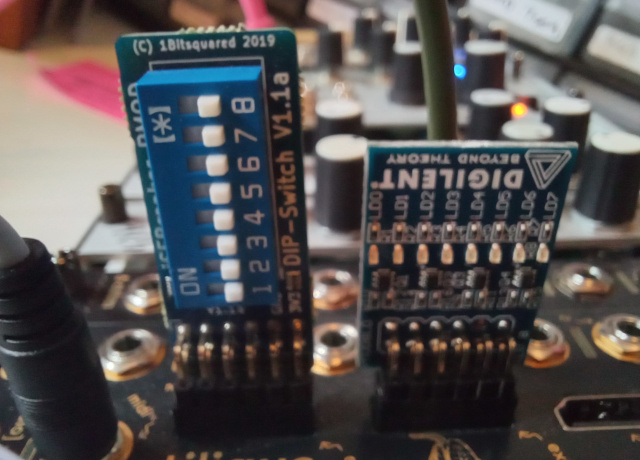
We can configure Tiliqua to read the DIP switches and control the LEDs with Platform resources.
In this setup we have the DIP switches connected to ex1 ( using dir=”i” ) and the LED strip connected via ex0 ( using dir=”o” )
platform.add_resources(
    [
        Resource(
            "ex1_dip",
            0,
            Subsignal("pin1", Pins("1", dir="i", conn=("pmod", 1))),
            Attrs(IO_TYPE="LVCMOS33"),
        ),
        Resource(
            "ex0_led",
            0,
            Subsignal("pin1", Pins("1", dir="o", conn=("pmod", 0))),
            Attrs(IO_TYPE="LVCMOS33"),
        ),
    ]
)
ex1_dip = platform.request("ex1_dip", 0)
ex0_led = platform.request("ex0_led", 0)
We can use the DIP switch pin1 to turn on the first LED in the strip.
# The dip switch is asynchronous to our clock domain so we need
# to make sure to bring it into our clock domain.
#
# Reference: https://amaranth-lang.org/docs/amaranth/v0.5.8/stdlib/cdc.html
#
dip_pin1_sync = Signal()
m.submodules.dip_pin1_sync = FFSynchronizer(ex1_dip.pin1.i, dip_pin1_sync)

# Turn on LED when dip switch set.
m.d.comb += [
    ex0_led.pin1.o.eq(dip_pin1_sync),
]
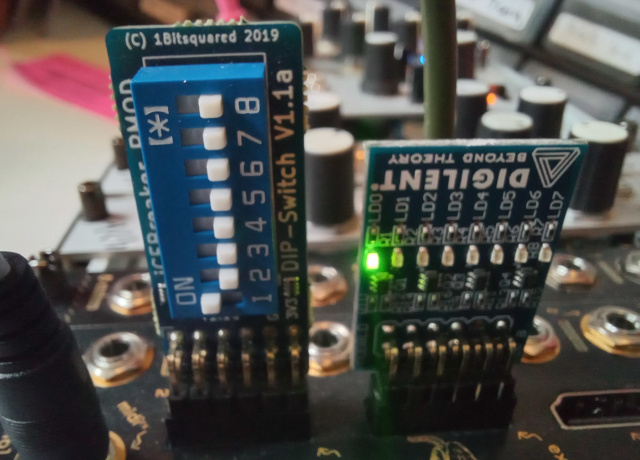
We might also use the DIP switch setting to decide to invert an input in the mirror example
# Invert channel 0 when dip switch set.
ch0_in = self.i.payload[0].as_value()
ch0_out = Signal.like(ch0_in)
m.d.comb += [
    ch0_out.eq(Mux(dip_pin1_sync, -ch0_in, ch0_in)),
    self.o.payload[0].eq(ch0_out),
]